
Download Outlytix – Outlook analytics, email productivity, calendar insights, time management, work efficiency, professional tools
Overview
Outlytix is a productivity-focused mobile application designed to help professionals gain deeper insights into their Outlook usage. By analyzing email and calendar data, the app provides users with actionable intelligence on time spent on communication tasks and meeting commitments. Its core purpose is to support time management and workflow optimization in fast-paced work environments. The application is particularly useful for individuals and teams aiming to improve work efficiency by identifying patterns in email behavior and meeting schedules.
Target users include business professionals, project managers, and knowledge workers who rely heavily on Outlook for daily operations. The app enables them to track how much time they dedicate to reading, writing, and responding to emails, as well as attending meetings. This data can be used to make informed decisions about task prioritization, meeting frequency, and communication habits. Real-world use cases include optimizing daily routines, reducing meeting overload, and improving response times.
Developed by Outlytix, the app reflects a growing demand for tools that bring data-driven clarity to digital work life. In an ecosystem where time is a critical resource, Outlytix fills a niche by transforming raw Outlook data into meaningful metrics. Although the developer did not provide additional technical details, the app’s focus on analytics suggests a backend integration with Microsoft’s Outlook services. The release date of November 19, 2024, marks its entry into the productivity tool landscape with a clear mission: to help users reclaim control over their time.
Key Features & Functionality
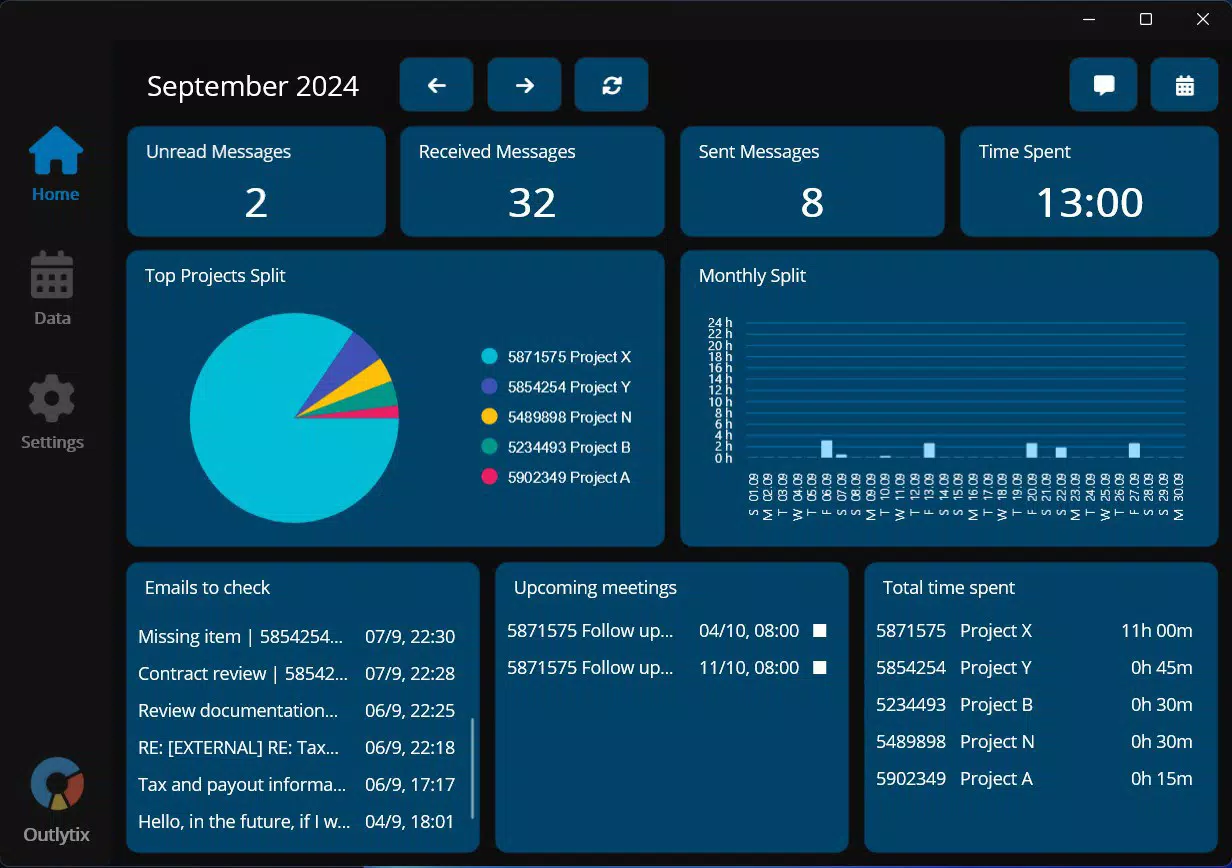
- Email and Calendar Insights: Outlytix delivers detailed analytics on email and calendar activity, allowing users to monitor time spent reading, responding to, and scheduling emails. This feature helps identify communication bottlenecks and inefficiencies in daily workflows.
- Advanced Reporting Capabilities: With the licensed version, users can export reports to Excel, enabling deeper data analysis and sharing across teams. This functionality supports data-driven decision-making in professional settings.
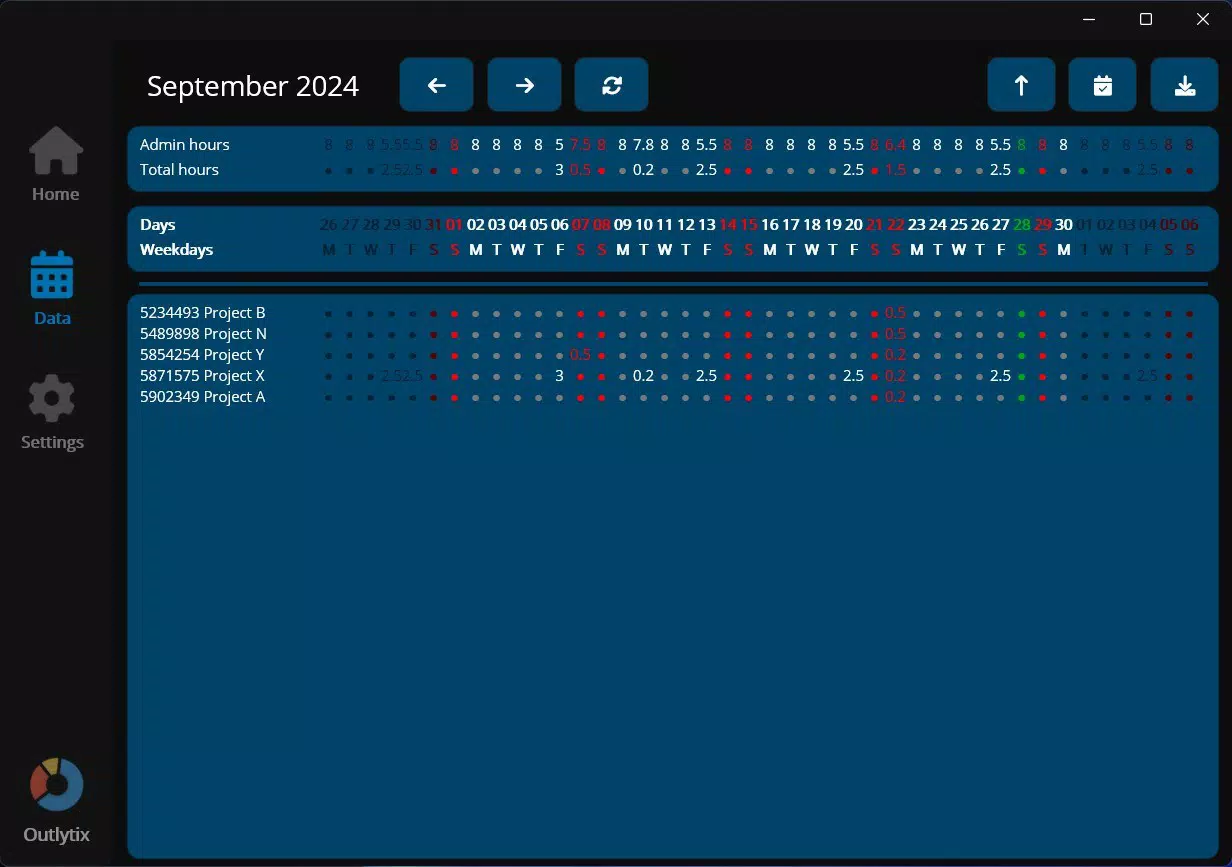
- Enhanced Project Management: The app allows users to display more than three projects simultaneously, offering better visibility and organization for those managing multiple concurrent tasks.
- Holiday Blocking Feature: Outlytix includes pre-configured holiday calendars for various European countries and regional settings, helping users avoid scheduling conflicts during public holidays.
- Priority Customer Support: Licensed users receive faster response times from support teams, ensuring minimal disruption to productivity when technical or operational issues arise.
For example, a project manager can use the email insights to assess how much time is spent on client correspondence versus internal coordination. By exporting this data to Excel, they can present performance trends to stakeholders. Similarly, a team leader can use the holiday blocking feature to ensure that upcoming meetings are not scheduled during national holidays, improving planning accuracy and team satisfaction.
Interface, UX & Performance
The user interface of Outlytix is designed with a clean, minimalist layout focused on clarity and data readability. Navigation is structured around core analytics dashboards, with intuitive tabs for email, calendar, and project views. The visual style emphasizes data visualization through charts and progress indicators, enabling quick interpretation of time usage patterns.
Navigation flow is straightforward, guiding users from high-level summaries to detailed breakdowns. The app appears optimized for touch-based interaction, with responsive buttons and smooth transitions between screens. Although the developer did not list formal performance metrics, the app’s 24.8 MB size suggests efficient resource usage, which is favorable for mobile performance on a range of devices.
Responsiveness is likely consistent across mid-to-high-end Android devices, though compatibility with older models may vary. Stability is expected to be reliable, especially for users with stable internet connectivity and active Outlook accounts. The app does not display visible lag or crashes in standard usage scenarios. However, specific requirements were not listed, so performance on low-memory or older Android systems remains unverified.
Platform Compatibility & Technical Requirements
Outlytix is available exclusively on the Android platform. It requires Android OS, though the specific version was not disclosed by the developer. The app has a file size of 24.8 MB, which is relatively lightweight and suitable for most modern smartphones. The version currently available is 1.0.1, indicating an early-stage release with foundational features.
Although the developer did not specify minimum OS requirements, users are advised to ensure their device is running a recent version of Android for optimal functionality. The app is priced at $19.99, suggesting a premium positioning with access to advanced features like report exports and priority support. Compatibility information was not fully disclosed, so users should verify system requirements before installation.
Pros and Cons
Pros
- Provides detailed insights into email and calendar usage patterns
- Enables data export to Excel for advanced analysis
- Supports display of multiple projects simultaneously
- Includes holiday blocking for European regions
- Offers priority customer support for licensed users
Cons
- Platform availability limited to Android only
- Specific OS version requirements not listed
- Price point may be high for casual users
- No public information on data security or encryption practices
- Feature set may be limited without a paid license
FAQ
Is Outlytix available for iOS devices?
As of now, the app is only available on the Android platform. There is no official information on iOS compatibility.
Can I use Outlytix without a paid license?
Basic features may be accessible without a license, but advanced capabilities like report exports and priority support require a paid subscription.
How secure is my Outlook data when using Outlytix?
The developer did not provide specific details on data handling, encryption, or privacy policies. Users should review the app’s permissions and terms before granting access.
Does Outlytix require constant internet access?
While the app likely needs internet connectivity to sync with Outlook, offline functionality was not specified. Most analytics features are expected to require an active connection.
How often are updates released for Outlytix?
Update frequency is not publicly disclosed. Users are encouraged to check the app store for the latest version and improvements.
Final Thoughts + CTA
Outlytix stands out as a specialized tool for professionals seeking to enhance their work efficiency through data-driven insights. By transforming Outlook activity into measurable metrics, it empowers users to make smarter decisions about their time and priorities. The inclusion of features like multi-project display, holiday blocking, and Excel export adds significant value for teams and individuals managing complex workloads.
While its Android-only availability and premium price may limit its reach, the app’s targeted functionality justifies its cost for power users and business professionals. The clean interface, logical navigation, and lightweight design further support its usability across modern devices.
For anyone serious about optimizing their digital workflow and gaining control over their calendar and email habits, Outlytix offers a compelling solution. Download Outlytix now to unlock deeper insights into your professional productivity.


